2.2. Weight & Frame Size
Quick Theory
Minimum frame size and disk loading calculations are based on the following formulas:
Minimum Frame Diagonal Calculation
Disk Loading Calculation
| Symbol | Description | Unit |
|---|---|---|
| Minimum Frame Diagonal | mm (millimeters) | |
| Propeller Diameter | mm for ; convert to m for | |
| Propeller Clearance | mm (millimeters) | |
| Number of Motors/Propellers | count | |
| Disk Loading | N/m² (Newton per square meter) | |
| Drone Mass | kg (kilograms) | |
| Gravitational Acceleration | m/s² (approx. 9.81) |
The Weight & Frame Size Calculator offers Standard and Advanced options for users to choose from.
Regardless of the option selected, the calculation results provide the following information:
- Minimum Frame Diagonal [mm, with inches below]
- Disk Loading [N/m², with kg/m² below]
- Disk Loading Level: Low under 50 N/m², Typical from 50 to 100 N/m², High over 100 N/m²
- Confidence and Design Risk
- Related actions, which depend on the result: Check Motor Specifications and Estimate Current Consumption at Typical disk loading, Estimate Flight Time at Low, Check Motor Specifications and Estimate Flight Time at High
- Export CSV: Downloads the inputs and results; disabled while an input is invalid
- Save Design: Does not store calculations at this time. The button is disabled when you are signed in, and visitors see a sign-up prompt.
2.2.1. Standard
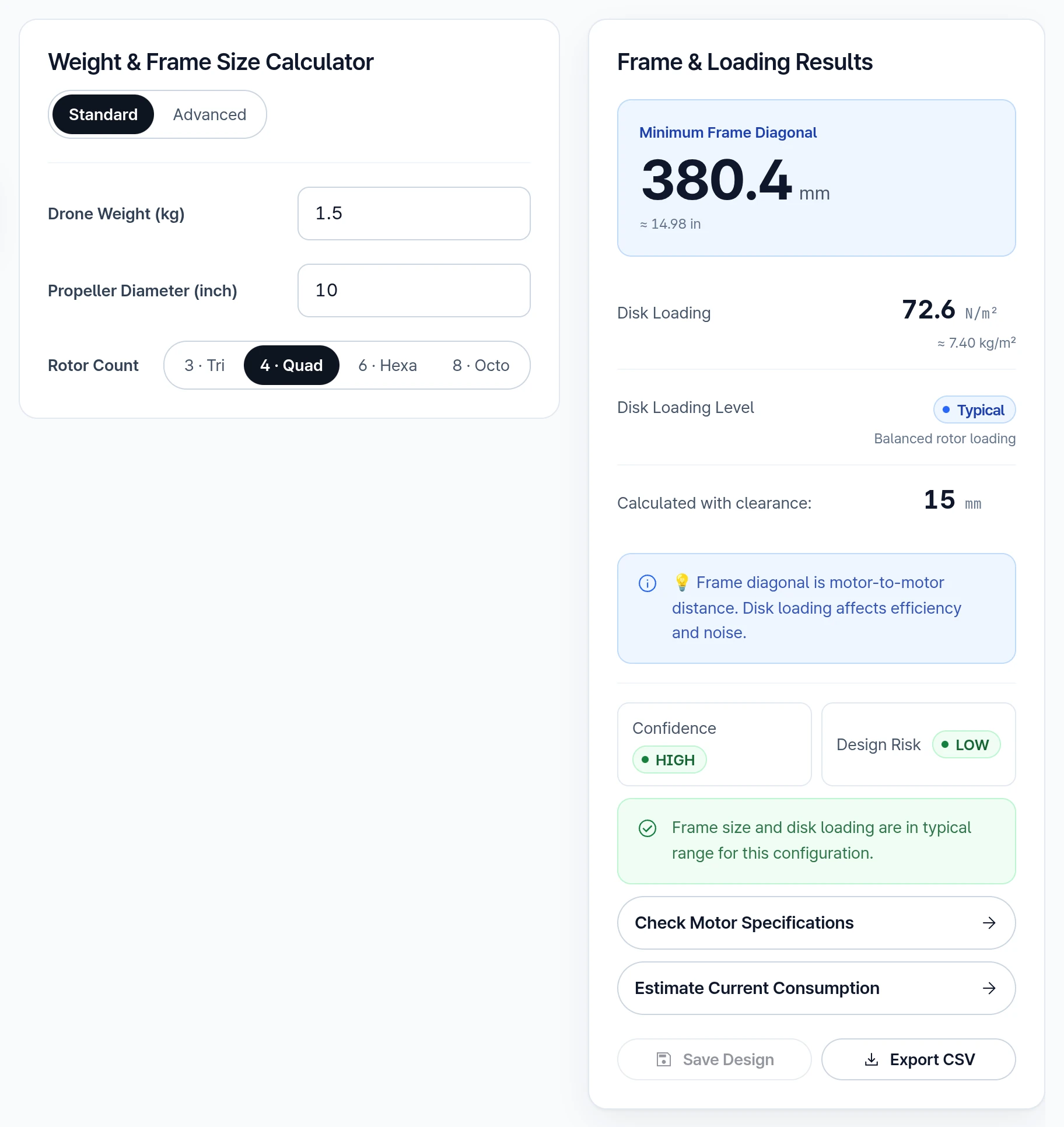
Input Parameters
- Drone Weight (kg)
- Propeller Diameter (inch)
- Rotor Count: 3 · Tri, 4 · Quad, 6 · Hexa or 8 · Octo
Standard mode calculates the minimum motor-to-motor frame diagonal and disk loading using a fixed 15 mm clearance, which is shown in the results.
2.2.2. Advanced
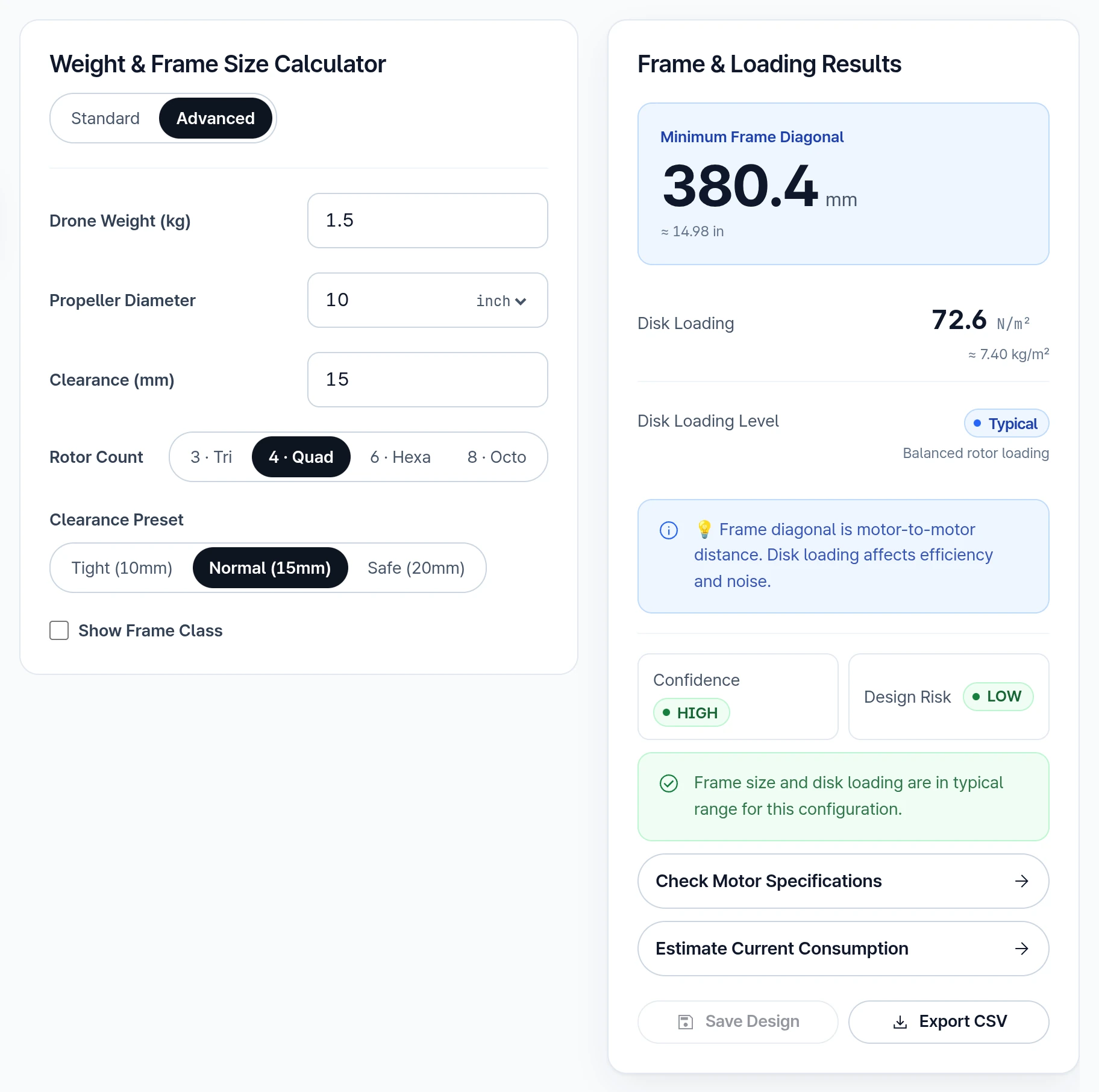
Input Parameters
- Drone Weight (kg)
- Propeller Diameter: Enter a value and choose inch or mm in the field; the value converts when the unit changes
- Clearance (mm): Spacing between propellers
- Rotor Count: 3 · Tri, 4 · Quad, 6 · Hexa or 8 · Octo
- Clearance Preset: Tight (10mm), Normal (15mm) or Safe (20mm). Picking a preset overwrites Clearance (mm).
- Show Frame Class: When selected, displays frame class information in results
Need Assistance or Have Questions?
Frequently Asked Questions: FAQ Link
Support Inquiries: support@everysim.io