2.4. Power & Current
Quick Theory
Power and current calculations estimate average and peak current, and check battery and ESC limits using the following formulas:
Average Current Calculation
Peak Current Calculation
| Symbol | Description | Unit |
|---|---|---|
| Average Current | A (Amperes) | |
| Flight Mode Power | W (Watts) | |
| Average Voltage | V (Volts) | |
| Peak Current | A (Amperes) |
The Power & Current Calculator offers Standard and Advanced options for users to choose from.
Regardless of the option selected, the calculation results provide the following information:
- C-rate, with a bar from 0 to 16C and bands at 8C and 12C
- Estimated Power [W]
- Average Current (Total from Battery) [A]
- Peak Current (Total from Battery) [A]
- Avg per Motor / Peak per Motor [A]
- Required for 10 min [mAh]
- Est. Flight Time [min]
- ESC Recommendation [A]: Peak per Motor x a 1.2 margin
- Confidence and Design Risk
- Check Motor Specs, shown at 8C or below. Above 8C, the result shows advice such as Check Battery Spec instead, and it does not lead to another calculator.
- Export CSV: Downloads the inputs and results; disabled while an input is invalid
- Save Design: Does not store calculations at this time. The button is disabled when you are signed in, and visitors see a sign-up prompt.
The ESC figures here use a different peak model from the Motor Spec calculator, so the same inputs can give different values. See Motor Spec.
2.4.1. Standard
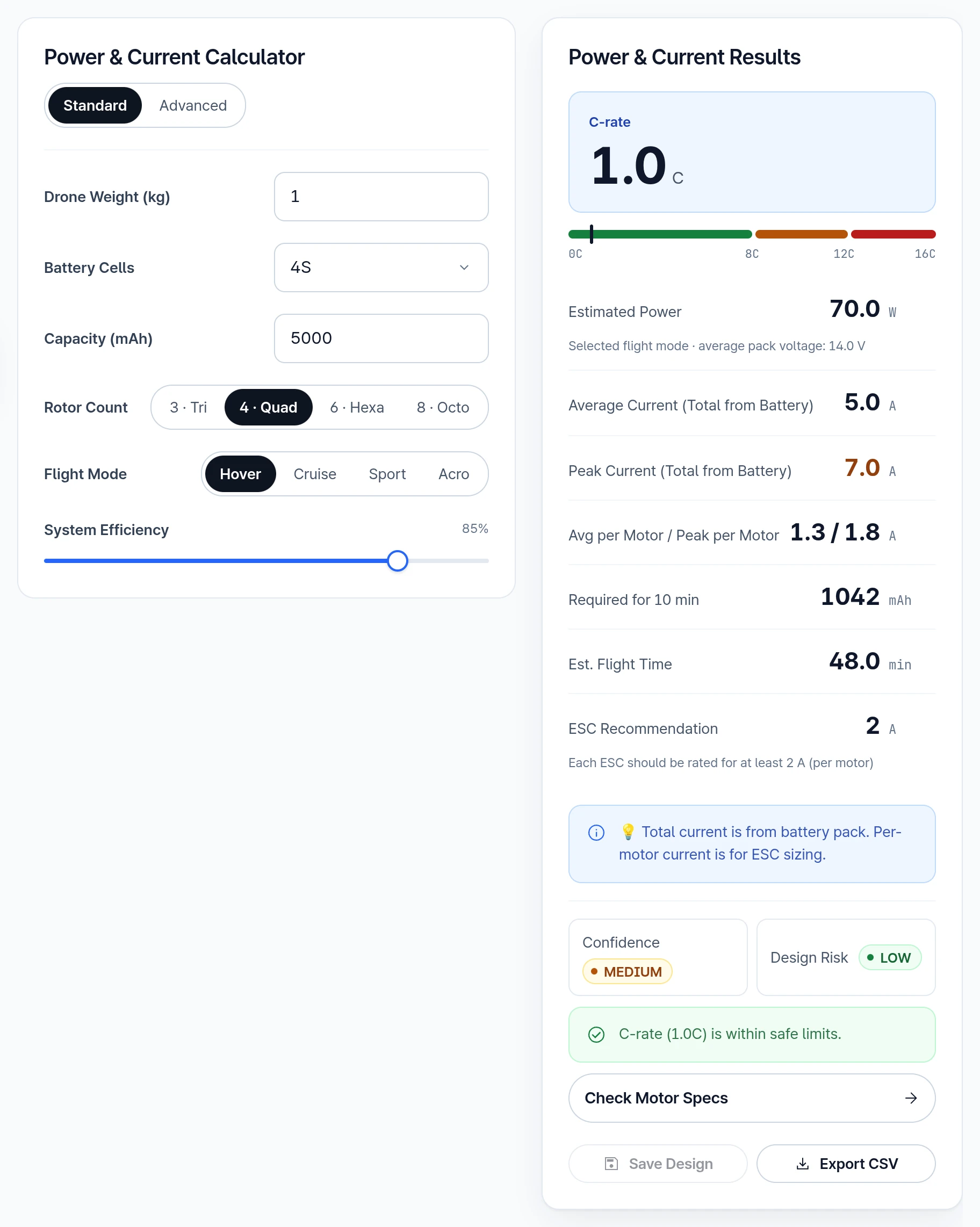
Input Parameters
- Drone Weight (kg)
- Battery Cells: Choose 2S, 3S, 4S or 6S; calculations use an average 3.5 V per cell, not nominal 3.7 V
- Capacity (mAh): Based on Li-Po battery
- Rotor Count: 3 · Tri, 4 · Quad, 6 · Hexa or 8 · Octo
- Flight Mode
- Cruise Factor: Available when Cruise mode is selected
- System Efficiency: Power efficiency
2.4.2. Advanced
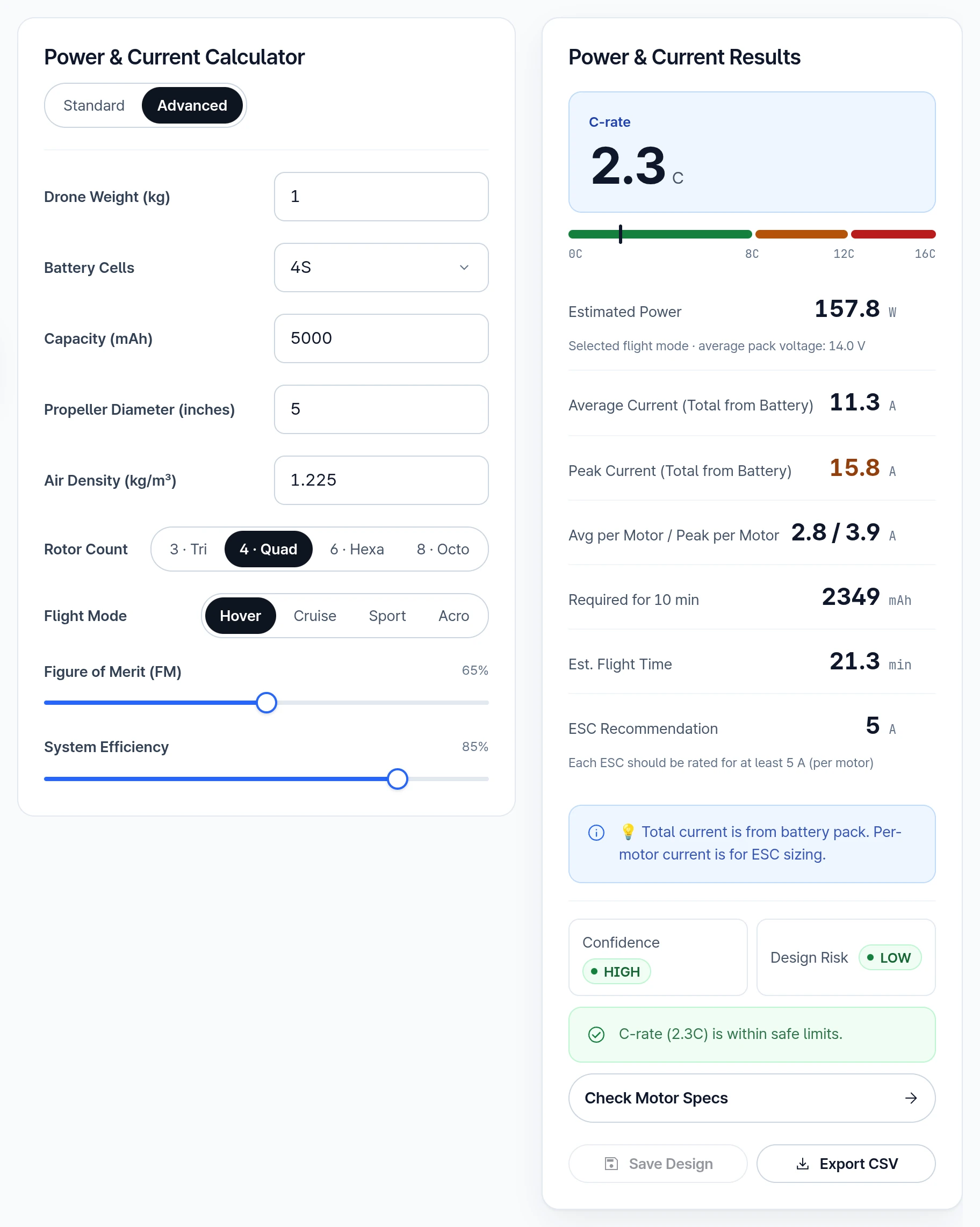
Results on this tab take weight, battery cells, capacity, rotor count, flight mode, cruise factor and system efficiency from the Standard tab. Of the fields below, only Propeller Diameter (inches), Air Density (kg/m³) and Figure of Merit (FM) change the result, so set the other values on the Standard tab first. Export CSV on this tab lists the values entered here beside those results.
Input Parameters
- Drone Weight (kg)
- Battery Cells: Choose 2S, 3S, 4S or 6S; calculations use an average 3.5 V per cell, not nominal 3.7 V
- Capacity (mAh): Based on Li-Po battery
- Propeller Diameter (inches)
- Air Density (kg/m³)
- Rotor Count: 3 · Tri, 4 · Quad, 6 · Hexa or 8 · Octo
- Flight Mode
- Cruise Factor: Available when Cruise mode is selected
- Figure of Merit (FM): Coefficient representing propeller performance efficiency, shown here as a percentage (65% = 0.65)
To learn about propeller performance using CAD, please refer to Advanced Simulation: Fluid Dynamics.
- System Efficiency: Power efficiency
Need Assistance or Have Questions?
Frequently Asked Questions: FAQ Link
Support Inquiries: support@everysim.io