2.1. Flight Time
Quick Theory
Hover time is the maximum time for stationary flight, calculated using the following formula:
| Symbol | Description | Unit |
|---|---|---|
| Hover Time | minutes | |
| Average Pack Voltage | V (Volts) | |
| Battery Capacity | Ah (Ampere-hours) | |
| Hover Power | W (Watts) |
The Flight Time Calculator offers Beginner, Standard, and Advanced options for users to choose from.
Regardless of the option selected, the flight time calculation results provide the following information:
- Hover Time [min, s]
- Cruise Time [min, s]
- Maximum Range [km]: Cruise time x your Cruise Speed. Assumes no communication limits; actual distance may be limited by communication equipment. It is not an out-and-back radius.
- Usable Energy [Wh]: 80% of capacity at an average 3.5 V per cell. For example, 4S 5000 mAh gives 56 Wh against a 74 Wh nameplate value.
- Confidence and Design Risk
- Links to related checks such as Check Current Draw
- Export CSV: Downloads the inputs and results; disabled while an input is invalid
- Save Design: Does not store calculations at this time. The button is disabled when you are signed in, and visitors see a sign-up prompt.
2.1.1. Beginner
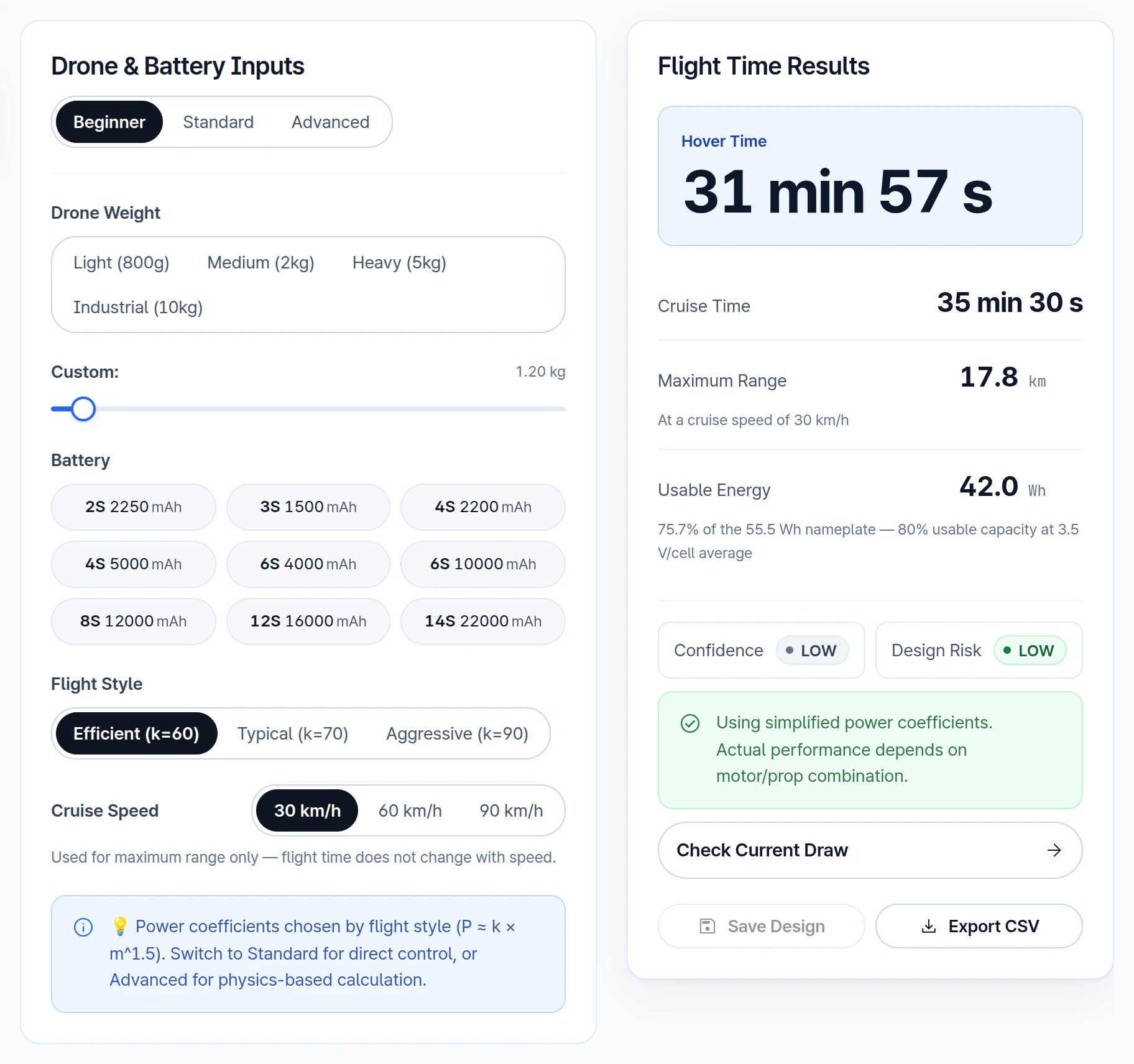
Input Parameters
- Drone Weight: Choose a preset weight class or adjust a custom weight
- Battery: Choose a common Li-Po battery preset
- Flight Style: Efficient / Typical / Aggressive
- Cruise Speed: 30, 60 or 90 km/h. Used for Maximum Range only; flight time does not change with speed.
Beginner mode uses simplified power coefficients based on the selected flight style. Use this mode for quick early estimates.
2.1.2. Standard
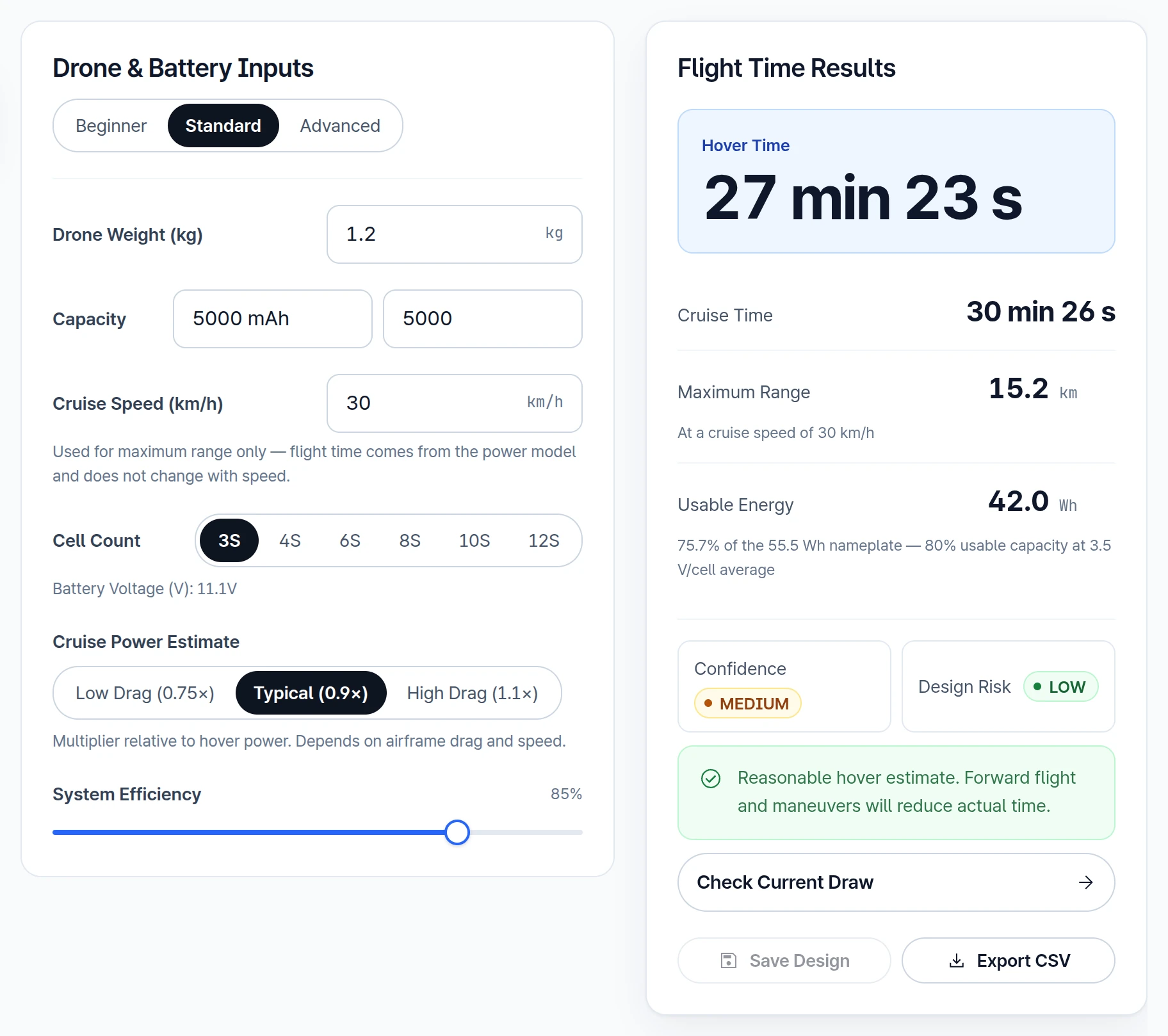
Input Parameters
- Drone Weight (kg)
- Capacity: Choose a value from the list or type a custom capacity in mAh
- Cruise Speed (km/h): Used for Maximum Range only; flight time does not change with speed
- Cell Count: Based on Li-Po. The displayed voltage is nominal (3.7 V per cell); calculations use an average 3.5 V per cell.
- Cruise Power Estimate
- System Efficiency
Standard mode gives direct control over battery voltage, capacity, efficiency, and cruise power assumptions.
2.1.3. Advanced
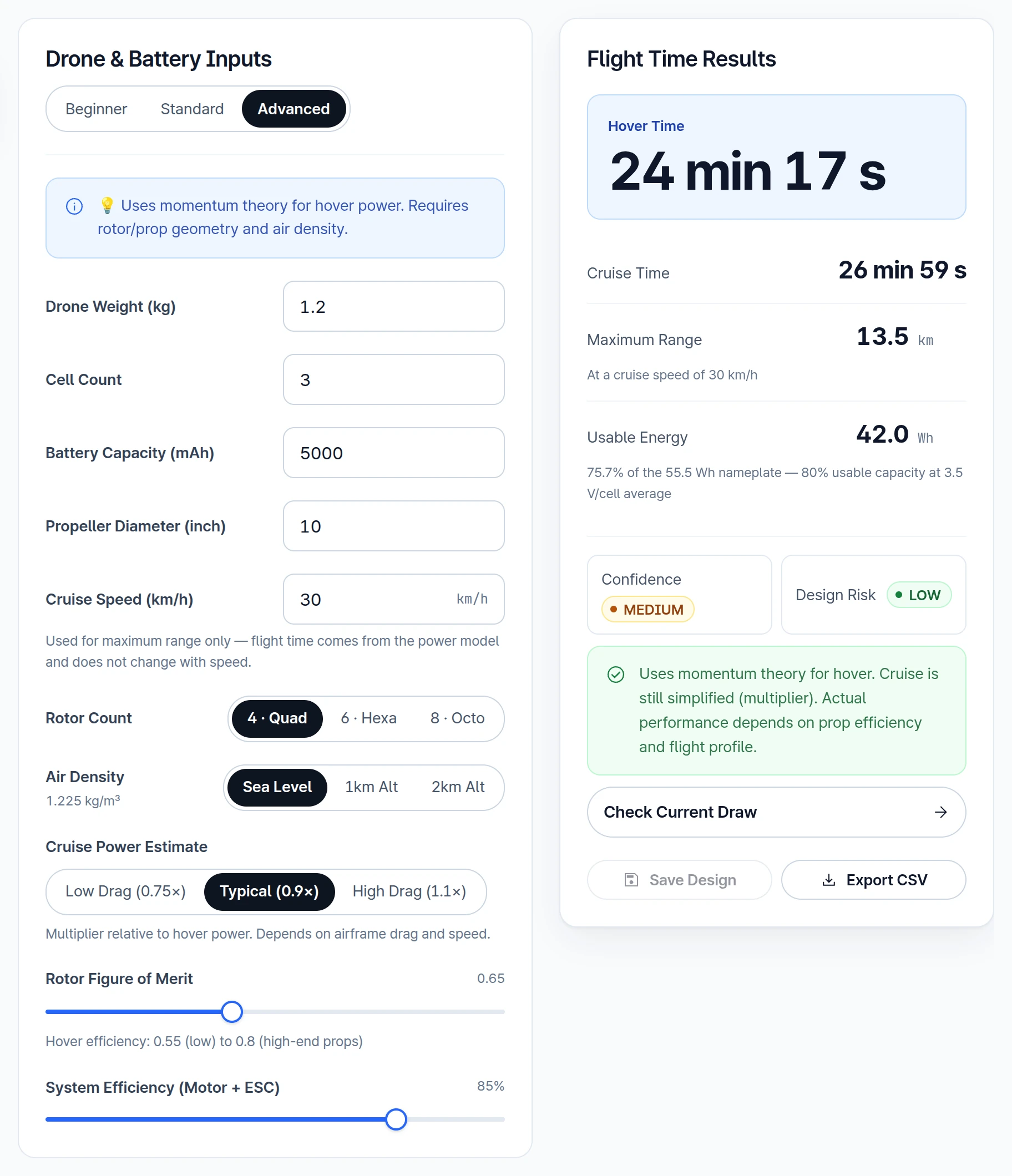
Input Parameters
- Drone Weight (kg)
- Cell Count: Based on Li-Po. Calculations use an average 3.5 V per cell, not the nominal 3.7 V.
- Battery Capacity (mAh): Based on Li-Po battery
- Propeller Diameter (inch)
- Cruise Speed (km/h): Used for Maximum Range only; flight time does not change with speed
- Rotor Count
- Air Density
- Cruise Power Estimate
- Rotor Figure of Merit: Coefficient representing propeller performance efficiency, from 0.55 to 0.80
To learn about propeller performance using CAD, please refer to Advanced Simulation: Fluid Dynamics.
- System Efficiency (Motor + ESC)
Advanced mode uses momentum theory for hover power and is better suited when rotor geometry and air-density assumptions are known.
2.1.4. Battery Discharge Graph
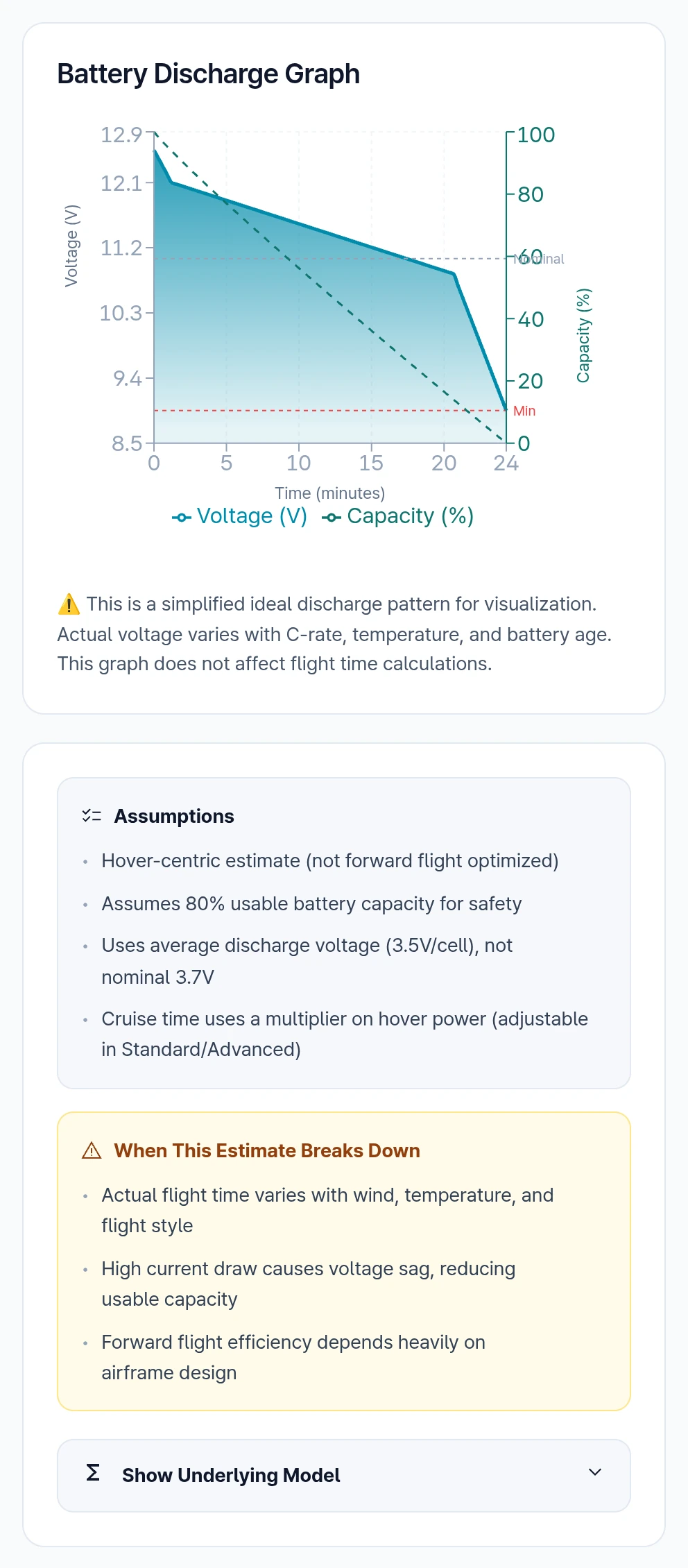
The current calculator assumes Lithium Polymer (Li-Po) battery type for calculations. The graph shows an idealized discharge curve over the estimated hover time. It is for visualization and does not affect the results. Actual voltage varies with C-rate, temperature, and battery age.
Need Assistance or Have Questions?
Frequently Asked Questions: FAQ Link
Support Inquiries: support@everysim.io